How to Detect if a Website is Built on Shopify: Methods & Tools

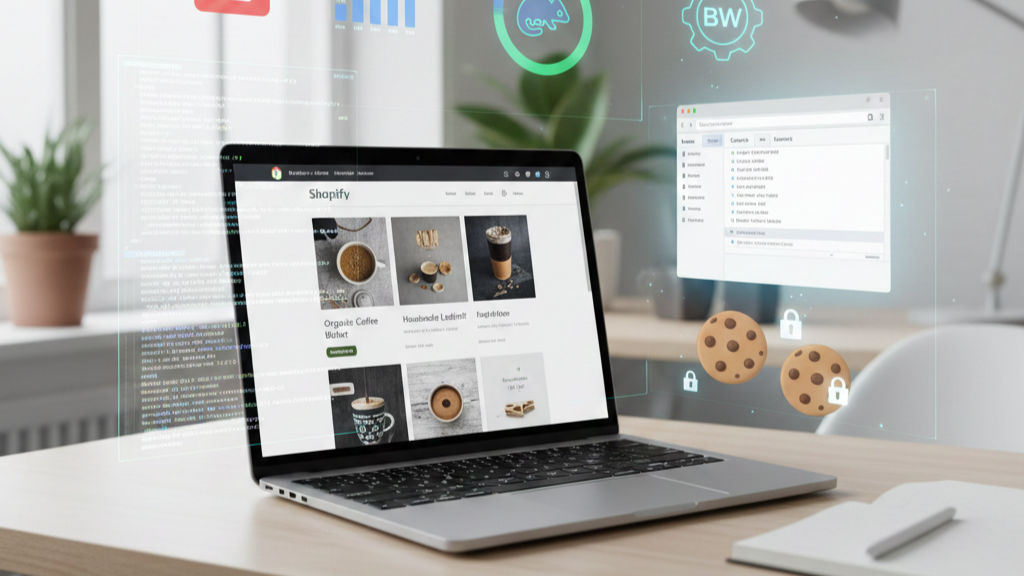
Ever visited a website and wondered, “Is this running on Shopify?” Whether you’re analyzing competitors, planning marketing outreach, or learning about web development, knowing the platform behind a site can be surprisingly useful. Shopify, as one of the leading eCommerce platforms, powers hundreds of thousands of online stores worldwide.
In this blog, I’ll walk you through practical methods to detect Shopify websites, from simple manual checks to advanced techniques, so you can confidently identify Shopify stores in no time.
Why Detecting Shopify Websites is Useful
Before diving into the methods, it’s worth understanding why detecting Shopify sites is valuable:
- Competitor Analysis: By identifying Shopify stores, you can study how competitors present products, structure their checkout, or design their site.
- Marketing & Outreach: If you offer services like SEO, design, or marketing, detecting Shopify stores helps target potential clients effectively.
- Development Insights: Seeing what’s common among Shopify stores can inspire your own web development projects or eCommerce strategies.
- SEO Benefits: Recognizing popular Shopify stores can guide backlink strategies or help analyze traffic patterns for your niche.
Knowing how to detect Shopify is a powerful skill for marketers, developers, and analysts alike.
Manual Methods to Detect Shopify
Sometimes, you don’t need fancy tools. A careful manual check can reveal a lot.
Check the URL Structure
One of the easiest ways to spot a Shopify store is by looking at the URLs. Shopify commonly uses:
/products/for product pages/collections/for category pages
For example:
example.com/products/product-name
example.com/collections/summer-collection
If you notice this pattern, there’s a good chance the site is on Shopify.
Look for Shopify-Specific Code
Another manual method is inspecting the page’s source code. Shopify sites often include:
- References to
cdn.shopify.com - Mentions of
Shopifyin meta tags, scripts, or comments
To check this:
- Right-click on the page and select View Page Source (or press
Ctrl+U). - Use
Ctrl+Fto search for keywords likeshopify.
Even without special tools, this can quickly tell you if Shopify is in use.
Observe the Checkout Process
Shopify has a distinct checkout system. Look for URLs containing /checkout and Shopify-specific formatting during the payment process.
Additionally, some payment gateway forms or checkout flows may reveal Shopify’s backend. While you don’t need to complete a purchase, just observing the structure can provide clues.
Automated Tools to Detect Shopify
If you want faster results, there are tools designed to identify website platforms.
Online Detection Tools
Some popular tools include:
- BuiltWith – Detailed tech stack info for any site
- Wappalyzer – Shows CMS, eCommerce platform, and other technologies
- WhatRuns – Tracks technologies and scripts running on a site
Pros: Quick, comprehensive, works on any website
Cons: Free versions may limit reports, some custom setups may not be detected
Browser Extensions
For instant detection while browsing, extensions like Wappalyzer or WhatRuns can highlight Shopify usage directly in your browser. You don’t need to leave the page to see what platform a site is using. It’s convenient for ongoing competitor research or outreach.
Advanced Detection Techniques
Sometimes manual checks or tools aren’t enough—especially for custom or headless Shopify sites. Advanced methods can help.
API and Network Analysis
Using your browser’s DevTools Network tab, you can look for API calls that indicate Shopify. Shopify stores often have requests like:
/admin/api/
or references to Shopify-specific assets. Even if the site looks custom, these signals can reveal the underlying platform.
Analyzing Cookies
Shopify often sets cookies with names like:
shopify_*cart_*
Inspecting cookies in your browser can provide subtle hints about Shopify usage, particularly on stores with custom frontends.
Things to Keep in Mind
While these methods are effective, there are a few caveats:
- Not all Shopify sites are obvious. Custom domains, headless setups, or heavily customized themes can hide Shopify usage.
- Ethical considerations matter. Use this knowledge for analysis, marketing, or research—not to exploit stores.
Being mindful of these ensures you stay on the right side of digital ethics while conducting your research.
Summary
Detecting Shopify websites can be straightforward or advanced depending on the store’s setup.
- Manual checks: URL patterns, page source code, checkout structure
- Automated tools: BuiltWith, Wappalyzer, WhatRuns, and browser extensions
- Advanced techniques: API/network analysis, cookies inspection
By combining these methods, marketers, developers, and analysts can confidently identify Shopify stores, understand eCommerce trends, and optimize strategies.