How to Migrate from Magento to Shopify (Step-by-Step Guide 2026)

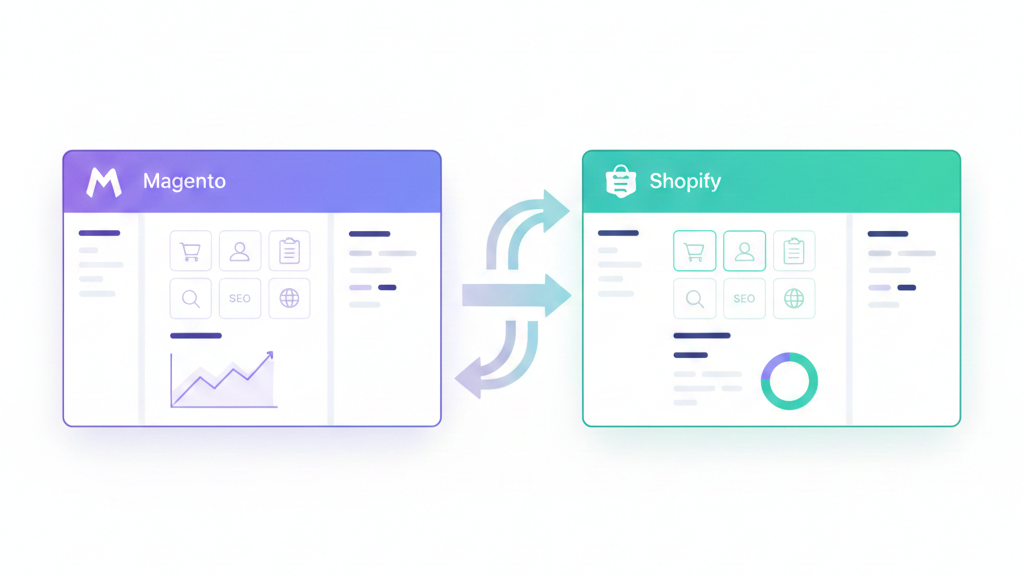
If you’re running a Magento store, you’ve likely felt the weight of escalating costs, complex maintenance cycles, and the constant need for developer support just to keep your store running smoothly. While Magento offers powerful customization, many store owners find themselves spending more time managing their platform than growing their business. This is why thousands of merchants are making the switch to Shopify a platform designed for simplicity, speed, and scalability without the technical overhead.
Store owners migrate from Magento to Shopify for several compelling reasons: dramatically lower hosting and maintenance costs, faster site performance, easier day-to-day management, and access to a robust app ecosystem that doesn’t require custom development. Whether you’re a frustrated store owner tired of paying developers for basic changes, a founder looking to focus on growth rather than technical infrastructure, or a marketing manager who needs more agility in launching campaigns, this migration can be transformative.
This comprehensive guide will walk you through the exact steps to migrate from Magento to Shopify, covering everything from pre-migration preparation and data export to SEO preservation, testing protocols, and go-live strategies. You’ll learn the common pitfalls that trip up most migrations, realistic timelines and costs, and best practices that protect your search rankings and customer data throughout the transition.
Quick Answer: How to Migrate from Magento to Shopify
To migrate from Magento to Shopify, back up your Magento store completely, export products, customers, and orders, set up your Shopify account with appropriate settings, import data using CSV files or migration tools, configure 301 redirects for all URLs, test checkout and data accuracy, then go live by pointing your domain. Proper SEO redirects and thorough data validation are critical to preventing traffic loss and ensuring business continuity.
Why Migrate from Magento to Shopify?
High Hosting and Development Costs
Magento requires dedicated hosting infrastructure, often costing $200-$1,000+ monthly depending on your traffic and performance needs. Beyond hosting, you’ll need regular developer support for updates, bug fixes, and basic modifications—costs that easily reach $5,000-$15,000 annually for many stores. Shopify consolidates these expenses into a single monthly subscription ($39-$2,000) with hosting, security, and core functionality included.
Complex Maintenance and Upgrades
Every Magento update carries risk. Version upgrades often break custom extensions, require extensive testing, and demand developer time to ensure compatibility. Security patches must be applied manually, and neglecting them puts your store at risk. Shopify handles all platform updates, security patches, and infrastructure maintenance automatically, eliminating this technical burden entirely.
Performance and Scalability Challenges
As Magento stores grow, performance optimization becomes increasingly complex and expensive. Database optimization, caching configuration, CDN setup, and server scaling all require technical expertise. Many Magento stores struggle with slow page loads, particularly during traffic spikes. Shopify’s cloud infrastructure automatically scales to handle traffic surges, and the platform is optimized for speed out of the box.
Need for Faster Store Management
Simple tasks like adding products, updating prices, or creating discount codes often require navigating Magento’s complex admin panel or waiting for developer assistance. Marketing teams find themselves bottlenecked by the platform’s complexity. Shopify’s intuitive interface allows non-technical team members to manage products, run promotions, and make design changes independently, dramatically increasing operational speed.
Magento vs Shopify: Key Differences You Should Know Before Migrating
Hosting and Maintenance Model
Magento operates on a self-hosted model where you’re responsible for servers, security, updates, and infrastructure. This gives you complete control but requires technical expertise and ongoing investment. Shopify is a fully hosted SaaS platform—you never touch a server or worry about security patches. This trade-off between control and convenience is fundamental to the platform difference.
Development Complexity
Magento is built for developers. Customizations require PHP knowledge, understanding of Magento’s architecture, and often extensive development time. Even simple changes may need code modifications. Shopify uses Liquid (a simpler templating language) and is designed for non-developers to make changes through the admin panel. Advanced customizations are possible but less frequently necessary due to Shopify’s extensive app ecosystem.
Cost Structure
Magento’s costs are variable and unpredictable: hosting, developer hours, extension licenses, security tools, and performance optimization all add up differently for each store. A typical Magento store might spend $10,000-$50,000+ annually on platform costs alone. Shopify’s costs are predictable: monthly subscription ($39-$2,000), transaction fees (0-2% unless using Shopify Payments), and apps ($0-$500+ monthly). Most stores find Shopify 40-70% less expensive to operate.
App Ecosystem vs Custom Extensions
Magento extensions often require custom installation, may conflict with each other, and need updates managed manually. Finding compatible extensions for your specific Magento version can be challenging. Shopify’s app store offers 8,000+ apps that install with one click, update automatically, and are built to work together. While Magento offers more deep customization potential, Shopify’s ecosystem handles 95% of standard e-commerce needs without custom development.
What to Prepare Before Migrating from Magento to Shopify
Audit Your Magento Store
Start by documenting exactly what you’re migrating. Export a complete list of products with all attributes, variants, and pricing. Document your category structure and how products are organized. Pull customer data including account information, addresses, and order history. Review your order history to understand how much historical data you want to preserve. Catalog all custom features, extensions, and workflows your team depends on—these will need to be replicated in Shopify through apps or custom development.
Audit your CMS pages, blog posts, and static content. Note which pages receive significant traffic or serve important SEO purposes. Document any custom functionality like advanced product configurators, subscription systems, or custom checkout flows. Understanding your current store completely prevents surprises during migration.
Clean Up Store Data
Migration is the perfect opportunity to clean house. Remove discontinued products, test items, and duplicates that clutter your catalog. Delete inactive customer accounts and obvious spam registrations. Standardize your product data: ensure SKUs follow a consistent format, product descriptions are complete, and images are properly named and sized. Fix variant structures where products have inconsistent options.
Review and correct any data inconsistencies now—fixing them after migration is harder. Ensure product URLs are optimized and consistent. Clean data migrates faster, with fewer errors, and gives you a fresh start in Shopify.
Back Up Your Magento Store
Before touching anything, create a complete backup. Use your hosting control panel or Magento’s built-in backup tools to export your complete database. This backup should include all products, customers, orders, CMS pages, and configuration settings. Download all media files: product images, category images, CMS page images, and any uploaded documents.
Store these backups in multiple locations—local storage and cloud storage (Google Drive, Dropbox). A complete backup gives you a safety net if anything goes wrong during migration and provides a reference point when mapping data to Shopify’s structure.
Step-by-Step: How to Migrate from Magento to Shopify
Step 1: Set Up Your Shopify Store
Begin by signing up for a Shopify account and selecting the appropriate plan. Most growing stores start with Shopify ($105/month) or Advanced Shopify ($399/month) to access advanced features and lower transaction fees. Basic Shopify ($39/month) works for smaller stores but has higher transaction fees if you’re not using Shopify Payments.
Configure your basic store settings: store name, currency, timezone, and units of measurement. Set up your tax and shipping origin location. If you plan to use your existing domain, don’t point it yet—you’ll do that at go-live. Instead, work on Shopify’s temporary myshopify.com domain during migration and testing.
Enable Shopify Payments if available in your country to avoid transaction fees, or configure your preferred payment gateway. Set up basic shipping zones and rates as a starting point (you’ll refine these later). Configure email notifications and ensure they’re branded appropriately.
Step 2: Export Data from Magento
Magento doesn’t offer a single-click export for all data, so you’ll handle different data types separately. For products, navigate to System > Import/Export > Export in the Magento admin. Select “Products” and export to CSV format. This file will include product names, SKUs, descriptions, prices, attributes, and category assignments.
Export customers through System > Import/Export > Export, selecting “Customers” as the entity type. This captures customer information but not their passwords (those can’t be migrated for security reasons—customers will need to reset passwords after migration). Export order data similarly, though note that Shopify has limitations on importing historical orders.
For CMS pages and blog posts, you’ll need to manually copy content or use a migration tool. Magento doesn’t provide a clean CMS export that maps to Shopify’s structure. Export your URL structure as well—you’ll need this comprehensive list for setting up redirects later.
Step 3: Import Data into Shopify
Shopify accepts product imports via CSV file through the Products > Import section. However, Magento’s export format doesn’t match Shopify’s import template exactly. Download Shopify’s product CSV template and map your Magento data to match Shopify’s required fields. Key differences include how variants are structured (Shopify uses option1, option2, option3 columns) and how collections (categories) are handled.
For a small store (under 500 products), manually reformatting the CSV is manageable. Larger stores should use migration tools like Cart2Cart, LitExtension, or Matrixify (formerly Excelify) that automatically map Magento fields to Shopify’s structure. These tools handle complex product structures, variants, and categories more reliably than manual CSV manipulation.
Import customers through Customers > Import, again matching Magento’s export to Shopify’s CSV template. Remember that customers won’t be able to use their old passwords—send an email announcing the migration and prompting password resets. Consider using an app like “Customer Account Activation” to streamline this process.
Historical orders are challenging. Shopify’s order import is limited and primarily designed for fulfillment purposes, not creating complete order histories with payment status. Most stores keep Magento order history in a read-only archive and start fresh order numbering in Shopify, using apps like “Order History Importer” if detailed migration is essential.
Step 4: Rebuild Design and Storefront
Shopify’s theme system differs fundamentally from Magento’s template structure. Browse Shopify’s theme store to find a theme that matches your brand and provides the functionality you need. Popular themes like Dawn (free), Impulse, Prestige, or Turbo offer robust features and customization options without requiring developer work.
You won’t be able to perfectly replicate a custom Magento design without hiring a Shopify developer, but most themes are highly customizable through Shopify’s theme editor. Upload your logo, set brand colors, configure typography, and adjust layout settings. Use the theme customizer to build your homepage, product page layouts, and collection page structures.
Recreate Magento’s custom features using Shopify apps where possible. Advanced filtering? Use apps like Boost Commerce or Searchanise. Custom product options? Try Infinite Options or Bold Product Options. Product tabs? Many themes include these, or use apps like Tabs Studio. Custom checkout fields require Shopify Plus, but apps can add many pre-checkout customizations.
Set up your navigation menus, recreating Magento’s category structure through Shopify collections. Create automated collections using conditions (product type, vendor, tags) to maintain organization as you add new products. Build manual collections for curated product groupings.
Step 5: Set Up Apps & Integrations
Install essential apps to replicate Magento functionality and enhance your store. For payments, if you’re not using Shopify Payments, install your gateway (PayPal, Stripe, Authorize.net) through Settings > Payments. Configure payment methods and test transactions in a test mode.
Set up shipping using Shopify’s built-in shipping tools or apps like ShipStation, Shippo, or Easyship for advanced needs. Configure shipping zones, rates, and carrier-calculated shipping if applicable. Shopify’s shipping is more straightforward than Magento’s but offers good flexibility through rate rules and apps.
Configure tax collection through Settings > Taxes. Shopify includes basic tax calculation, but stores with complex tax requirements (EU VAT, US economic nexus across multiple states) benefit from apps like Avalara or TaxJar that handle tax compliance automatically.
Install other essential apps based on your Magento setup: email marketing (Klaviyo, Omnisend), reviews (Judge.me, Yotpo), abandoned cart recovery (unless you have Shopify or higher), analytics (Shopify’s built-in analytics are good, but Google Analytics 4 integration is essential), and inventory management if needed.
Magento to Shopify Migration Methods (Which One Is Best?)
Manual Migration
Manual migration involves exporting CSVs from Magento, reformatting them to match Shopify’s structure, and importing them manually. You’ll copy CMS content page by page and manually recreate design elements.
Pros: Complete control over what migrates, no migration tool costs, opportunity to clean and optimize data during the process, good learning experience for understanding Shopify’s data structure.
Cons: Extremely time-consuming, high risk of data errors, difficult to map complex product variants, challenging for non-technical users, not feasible for stores with thousands of products.
Best for: Stores under 200 products with simple product structures, store owners with time to invest and some technical comfort, businesses doing a complete rebrand and restructure anyway.
Automated Migration Tools
Services like Cart2Cart, LitExtension, and Matrixify automate the data transfer process. You connect both stores, select what to migrate, and the tool handles mapping, data transformation, and import.
Pros: Fast migration (hours instead of weeks), handles complex product structures and variants automatically, dramatically reduces human error, supports large catalogs easily, usually includes free demo migrations to preview results.
Cons: Costs $100-$1,000+ depending on data volume, less control over exactly how data maps, may still require cleanup after migration, doesn’t handle highly custom Magento features.
When automation makes sense: Stores with 200+ products, complex variant structures, limited technical resources, tight migration timelines, budgets that value time over tool costs.
Most professional migrations use automated tools for data transfer while handling design, apps, and SEO setup manually. This hybrid approach balances efficiency with control.
Hiring a Migration Expert
Shopify Partners and e-commerce agencies specialize in platform migrations. They handle everything: data migration, design recreation, app setup, SEO preservation, testing, and go-live.
When to outsource: Custom Magento installations with complex features, stores with significant technical debt or customization, businesses lacking internal technical resources, mission-critical stores where downtime or errors have major consequences, companies wanting migration completed while focusing on operations.
Cost vs risk trade-off: Professional migrations cost $5,000-$50,000+ depending on complexity, but this investment buys expertise that prevents costly mistakes. SEO errors alone can cost more in lost traffic than hiring an expert. Consider outsourcing if your store generates $50,000+ monthly revenue—the risk mitigation is worth the investment.
SEO Checklist for Magento to Shopify Migration (Very Important)
URL Structure Differences
Magento and Shopify handle URLs differently, and understanding these differences is crucial for SEO preservation. Magento typically uses URLs like yourstore.com/category-name/product-name.html with the .html extension and category paths included. Shopify uses cleaner URLs: yourstore.com/products/product-name for products and yourstore.com/collections/collection-name for collections.
Magento gives you complete control over URL structure through rewrites. Shopify’s URL structure is more rigid: all products must include /products/, all collections include /collections/, and blog posts include /blogs/blog-name/. You cannot remove these path segments without custom development.
This structural difference means virtually every URL in your store will change during migration. Without proper redirects, you’ll lose all your search engine rankings and incoming links will break.
301 Redirect Setup
Setting up comprehensive 301 redirects is the single most important SEO task during migration. Every Magento URL that has ever been indexed or linked to from external sites needs to redirect to its equivalent Shopify URL.
For product pages, create a spreadsheet mapping old Magento product URLs to new Shopify product URLs. Import these redirects through Shopify’s built-in redirect tool (Online Store > Navigation > URL Redirects) using a CSV file. Shopify allows unlimited redirects, so redirect every product, even discontinued ones (send them to relevant category pages or your homepage).
Category pages require careful mapping to Shopify collections. Magento’s category URLs should redirect to the equivalent Shopify collection URLs. If you’re restructuring your category hierarchy, redirect old categories to the most relevant new collections.
CMS pages and blog posts need individual redirects as well. Map each Magento CMS page URL to its Shopify equivalent (most will be pages under yourstore.com/pages/page-name). If you’re not migrating certain content, redirect those URLs to relevant existing pages rather than leaving them as 404 errors.
Preserve SEO Elements
During data import, ensure product titles, meta descriptions, and meta titles transfer correctly. Shopify’s CSV import includes columns for SEO title and SEO description—use these to maintain your optimized metadata. If your migration tool doesn’t handle meta data well, export it separately from Magento and import it after your initial product migration.
Image alt tags are crucial for image search traffic and accessibility. Ensure your product images maintain their alt text during migration. Most migration tools don’t preserve alt tags well, so you may need to add these manually or use an app like “Bulk Image Alt Text” after migration.
If your Magento store used structured data (Schema.org markup) for products, reviews, or other elements, replicate this in Shopify. Many Shopify themes include basic product schema, but you may need apps or custom development to match Magento’s structured data implementation.
Maintain your internal linking structure. If you linked between products or from blog posts to products using full URLs, these links will break after migration. Use Shopify’s liquid tags for internal links instead, or update hardcoded URLs during content migration.
Post-Migration SEO Audit
Immediately after going live, submit your new sitemap to Google Search Console. Shopify automatically generates a sitemap at yourstore.com/sitemap.xml. Verify that Google can access and parse it correctly.
Monitor indexing in Google Search Console closely for the first month after migration. Check for crawl errors, 404 pages, and redirect chains. Address issues immediately—SEO problems compound over time. Use the URL Inspection tool to verify that important pages are being indexed correctly.
Track your organic traffic closely in Google Analytics. Expect a small temporary dip (5-15%) during migration as search engines reprocess your site, but traffic should recover within 2-4 weeks if redirects are properly configured. Significant or prolonged traffic drops indicate redirect or SEO issues that need immediate attention.
Monitor your keyword rankings for primary search terms. Use tools like SEMrush, Ahrefs, or Moz to track whether your main keywords maintain their positions. Investigate and address any significant ranking losses quickly.
Testing Before Going Live
Never go live without comprehensive testing. Create test orders using real payment methods in Shopify’s test mode to verify the entire checkout flow works correctly. Test with different payment methods, shipping addresses (domestic and international if applicable), and discount codes.
Verify product data accuracy by spot-checking 10-20% of your products. Confirm pricing, variants, images, descriptions, and inventory levels match your Magento store. Check both simple and complex products with multiple variants. Verify that product options (size, color, etc.) work correctly and that inventory tracks properly.
Test shipping calculations using various delivery addresses and cart combinations. Ensure shipping rates calculate correctly and carrier-calculated shipping works if you’re using it. Verify that free shipping thresholds and shipping discounts apply correctly.
Validate tax calculations for multiple jurisdictions. Test orders from different states or countries to ensure tax rates apply correctly. If you’re using a tax app like Avalara, test its configuration thoroughly.
Test mobile responsiveness completely. Over 70% of e-commerce traffic comes from mobile devices. Navigate your entire store on smartphones and tablets, testing the homepage, collection pages, product pages, cart, and checkout. Ensure all images load, text is readable without zooming, and buttons are easily tappable.
Test all apps and integrations. Verify that email marketing syncs customers correctly, review apps display existing reviews, and third-party integrations (accounting software, ERPs) connect properly. Send test emails for order confirmations, shipping notifications, and abandoned carts to ensure they’re branded and formatted correctly.
Going Live: Final Magento to Shopify Switch
Plan your go-live carefully to minimize downtime and customer disruption. Choose a low-traffic period (typically Sunday night through Tuesday morning for most stores) to make the switch. Communicate the migration to your team and key stakeholders with a detailed timeline.
Before pointing your domain, put your Magento store in maintenance mode to prevent new orders during the switch. Download a final export of any orders that came in during migration and manually add them to Shopify if needed. This prevents losing orders in the transition.
Point your domain to Shopify through your domain registrar’s DNS settings. Change your A record to point to Shopify’s IP address (23.227.38.65) and update your CNAME records as Shopify directs. DNS propagation typically takes 24-48 hours, though it can be faster. During this period, some users will see your old Magento store while others see Shopify.
Immediately after changing DNS, verify SSL is working correctly. Shopify provides free SSL certificates, but they need time to provision. Ensure https:// versions of your URLs work and that browsers show the secure padlock icon. Forcing SSL (redirecting all http:// traffic to https://) is essential for security and SEO.
Monitor your store obsessively for the first 24 hours after go-live. Watch for orders coming through correctly, check for broken links or images, monitor your error logs, and be ready to quickly address any issues. Have your team available to respond to customer service inquiries, as confused customers may have questions about the new store experience.
Keep your old Magento store accessible in read-only mode for at least 2-4 weeks after migration. You’ll need to reference it for order history, customer inquiries, and to verify data if questions arise. Don’t delete Magento until you’re completely confident everything migrated correctly.
Common Magento to Shopify Migration Mistakes to Avoid
The most critical and common mistake is skipping or inadequately configuring 301 redirects. Store owners underestimate how many URLs need redirecting or only redirect current products while ignoring discontinued items, category pages, and CMS content. Every indexed URL needs a redirect. Search engines don’t forget your old URLs quickly—you’ll lose significant traffic if redirects are incomplete.
Migrating bad data is tempting when you’re in a hurry. Transferring broken images, duplicate products, incorrect prices, and messy product descriptions into your new Shopify store means you’ll spend months cleaning up avoidable problems. Take the time to clean data before migration—it’s easier to fix in Magento’s familiar environment than learning to fix it in Shopify simultaneously with learning the platform.
Forgetting to configure transactional emails properly leaves customers confused and hurts your brand. Customize order confirmation, shipping notification, and abandoned cart emails with your branding before going live. Test these emails thoroughly—don’t let your first post-migration customer receive a generic, unbranded notification.
Ignoring the SEO impact is devastating. Beyond redirects, store owners forget to maintain metadata, lose image alt tags, fail to update their sitemap, and don’t monitor Google Search Console for crawl errors. SEO takes months or years to build—protect it during migration by making SEO preservation a top priority, not an afterthought.
Other common mistakes include launching without adequate testing (resulting in broken checkout flows discovered only when customers complain), failing to communicate with customers about the migration (causing confusion when the store looks different), not training staff on the new platform (leading to operational disruptions), and underestimating the time required (rushing the migration and making costly errors).
How Long Does Magento to Shopify Migration Take?
Small stores (under 500 products, straightforward structure) typically require 2-4 weeks for a complete migration. This includes one week for planning, data cleanup, and backup, one week for Shopify setup and data migration, and 1-2 weeks for design work, app configuration, testing, and SEO setup.
Medium-sized stores (500-5,000 products, moderate complexity with some custom features) generally need 4-8 weeks. Additional time goes into mapping complex product variants, recreating custom functionality through apps or development, more extensive testing, and larger redirect lists.
Large or complex stores (5,000+ products, heavy customization, multiple integrations) require 8-16 weeks or more. Enterprise Magento installations with custom checkout flows, complex integrations, multiple languages, or sophisticated functionality need significant development time to replicate in Shopify, thorough testing across all use cases, and phased migration approaches.
Several factors affect migration duration beyond product count. Custom feature complexity is significant—advanced product configurators, custom pricing rules, or sophisticated B2B functionality require development time to replicate. Data quality impacts timelines substantially; messy Magento data requires extensive cleanup before migration. Integrations with ERPs, accounting systems, fulfillment centers, or other external systems need reconfiguration and testing. Team availability matters too—migrations move faster with dedicated internal resources than when handled between other responsibilities.
Resource allocation dramatically affects timelines. A store owner working alone on nights and weekends might take twice as long as a dedicated team. Using migration agencies typically results in the fastest completions, as they handle migrations full-time with established processes.
Magento to Shopify Migration Cost Breakdown
Platform subscription costs form the baseline. Shopify plans range from $39/month (Basic) to $2,000/month (Shopify Plus for enterprise stores). Most migrating Magento stores need Shopify ($105/month) or Advanced Shopify ($399/month) for the features and lower transaction fees. Budget $105-$399 monthly for the subscription.
Migration tool costs vary based on your approach. Manual migration is free but time-intensive. Automated migration tools like Cart2Cart or LitExtension charge based on data volume, typically $100-$1,000 for most stores. Complex migrations with many custom entities cost more. Most tools offer free demo migrations so you can preview results before paying.
Development costs depend on how much of Magento’s custom functionality you need to replicate. Simple migrations using out-of-the-box Shopify themes and apps might require no custom development ($0). Stores needing custom theme development to match their Magento design might spend $3,000-$10,000. Complex stores requiring custom apps, advanced checkout modifications (Shopify Plus only), or sophisticated integrations can spend $10,000-$50,000+ on development.
App subscription costs replace many Magento extensions. Essential apps for reviews, email marketing, advanced search, SEO tools, and other functionality typically cost $0-$500 monthly total. Plan on $100-$300/month for apps initially, adjusting based on your needs.
If outsourcing the entire migration to an agency or Shopify Expert, expect costs of $5,000-$50,000+ depending on store complexity. This typically includes data migration, theme setup, app configuration, SEO preservation, testing, and go-live support. This investment makes sense for complex stores or when internal resources are limited.
Additional costs might include premium Shopify themes ($180-$400 one-time), additional development for specific features, training for your team, and potentially higher transaction fees if not using Shopify Payments. Budget 10-20% above your estimated costs for unexpected needs that arise during migration.
Magento to Shopify Migration: Final Verdict
When Migration Is Worth It
Migration makes strong business sense for stores spending $10,000+ annually on Magento hosting and development yet not fully utilizing the platform’s advanced capabilities. If you’re maintaining Magento primarily because it’s what you’ve always used rather than because you need its specific features, Shopify likely serves your needs better at dramatically lower cost.
Stores struggling with Magento’s complexity benefit enormously from migration. If simple changes require developer intervention, your marketing team is bottlenecked by the platform, or site performance issues persist despite optimization efforts, Shopify’s simplicity and managed infrastructure solve these problems immediately.
Growing stores benefit from Shopify’s scalability without the infrastructure management burden. If you’re spending more time managing your platform than growing your business, that’s a clear signal to migrate. The time savings and operational efficiency typically justify migration costs within 6-12 months.
Who Should Not Migrate
Stores heavily invested in custom Magento functionality that’s core to their business model should think carefully. If you’ve built sophisticated custom features—complex B2B pricing matrices, advanced product configurators, or industry-specific workflows—replicating these in Shopify might be expensive or impossible without Shopify Plus and significant custom development.
Stores that recently invested heavily in Magento development might want to extract more value from that investment before migrating. If you’ve just spent $50,000 rebuilding your Magento store, the ROI timeline on migration changes significantly.
Businesses requiring features Shopify fundamentally doesn’t support should stay on Magento or consider other platforms. While Shopify Plus opens more possibilities, certain use cases—extremely complex multi-warehouse inventory management, advanced wholesale/retail hybrid models, or deep ERP integration requirements—might still work better on Magento or headless commerce solutions.
Practical Recommendation
For most Magento stores, migration to Shopify makes strong financial and operational sense. The combination of dramatically lower costs, reduced technical complexity, and improved team productivity typically delivers positive ROI within the first year. The migration investment—whether $5,000 for a simple store or $30,000 for a complex one—pays for itself through reduced hosting costs, eliminated developer dependencies, and improved operational efficiency.
Approach migration methodically. Don’t rush because Magento feels painful right now. Invest time in proper planning, data cleanup, and especially SEO preservation. The stores that struggle after migration are almost always those that rushed the process and cut corners on redirects, testing, or design quality.