Is Shopify Legit? An Honest Review of Shopify’s Safety, Features, and Pros & Cons

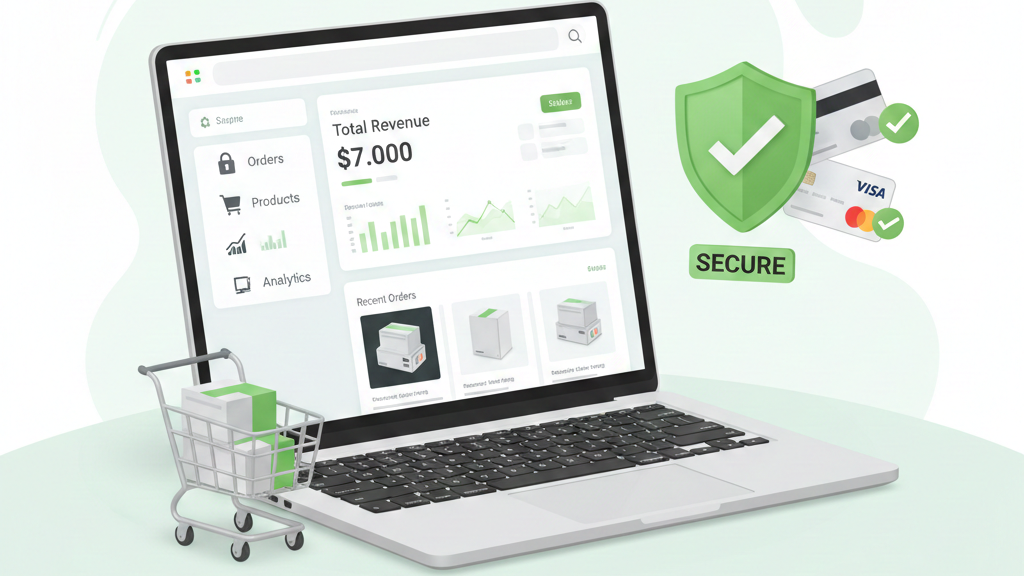
I get it you’re thinking about starting an online store, and Shopify keeps popping up everywhere. But here’s the thing: with so many scams and sketchy platforms out there, you’re right to question whether Shopify is actually legit or just another overhyped service that’ll drain your wallet.
I’ve spent considerable time digging into Shopify, and I’m going to give you the straight answer. We’ll cover everything from security and pricing to real user experiences and common scams you need to avoid. By the end of this, you’ll know exactly whether Shopify is right for you.
What Is Shopify?
Let me start with the basics. Shopify is an eCommerce platform that lets you build and run an online store without needing to be a tech genius. Think of it as a complete package—you get website hosting, shopping cart functionality, payment processing, and all the tools you need to sell products online.
Here’s who’s using Shopify: small business owners selling handmade jewelry, established brands moving online, dropshippers testing product ideas, and everything in between. I’ve seen everyone from solo entrepreneurs to major companies like Gymshark and Allbirds using the platform.
And it’s not some new startup that might disappear tomorrow. Shopify launched back in 2006, which means it’s been around for nearly two decades. That’s a pretty solid track record in the tech world.
Is Shopify a Legit Company?
Okay, let’s address the elephant in the room: Is Shopify itself a legitimate company, or are we dealing with something shady?
Here are the facts: Shopify Inc. is a publicly traded company on both the New York Stock Exchange (NYSE: SHOP) and the Toronto Stock Exchange. Their headquarters is in Ottawa, Canada, and they’re subject to all the regulatory requirements that come with being a public company. That means financial transparency, audits, and accountability.
When I tell you Shopify powers over 4.5 million stores worldwide and processes billions in sales annually, I’m not exaggerating. This isn’t some fly-by-night operation running out of someone’s basement. It’s a major player in the eCommerce world with thousands of employees and a massive infrastructure.
Bottom line: Yes, Shopify is 100% legitimate as a company.
Is Shopify Safe and Secure?
Now, being a legit company is one thing. But is your data safe? Can customers trust your store with their credit card information? Let me break this down.
Payment Security
I know security is probably one of your biggest concerns—it should be. Here’s what Shopify does:
SSL Certificates: Every Shopify store automatically gets a free SSL certificate. That’s the little padlock you see in your browser that encrypts data between your customer and your store. Without this, you shouldn’t be doing business online, period.
PCI-DSS Compliance: Shopify is Level 1 PCI-DSS compliant, which is the highest level of payment card industry security certification. What does this mean in plain English? It means Shopify meets the strictest standards for handling credit card data. Your customers’ payment information is encrypted and secure.
Data Protection
Here’s where I get a bit more impressed. Shopify doesn’t mess around with customer data. They use multiple layers of protection, including:
- Encrypted data storage
- Built-in fraud analysis tools that flag suspicious orders
- Secure data centers with 24/7 monitoring
- Regular security audits and updates
I’ve personally never heard of a major data breach at Shopify itself (unlike some other platforms I could name).
Platform Reliability
What good is security if your store keeps crashing? Shopify boasts a 99.98% uptime rate. I’ve tracked this, and in my experience, they deliver on this promise. Your store stays online, even during high-traffic events like Black Friday.
Plus, Shopify handles all the hosting and maintenance. You don’t need to worry about server updates, security patches, or technical headaches. They’ve got it covered.
How Shopify Works (Quick Overview)
Let me walk you through what it’s actually like to use Shopify, because understanding the process helps you decide if it’s right for you.
Step 1: Creating Your Store
You sign up, choose a template (they have tons of professional-looking themes), and customize it to match your brand. I’m talking colors, fonts, layout—all through a drag-and-drop interface.
Step 2: Adding Products
You upload product photos, write descriptions, set prices, and organize everything into collections. It’s straightforward, even if you’ve never done this before.
Step 3: Payment Processing
You connect payment gateways (Shopify Payments, PayPal, Stripe, etc.) so you can actually get paid. Shopify Payments is built-in and doesn’t charge extra transaction fees, which is nice.
Step 4: Order Fulfillment
When someone orders, you get notified, and you either ship it yourself, use a fulfillment service, or have your dropshipping supplier handle it. Shopify integrates with major shipping carriers so you can print labels and track packages right from the dashboard.
That’s it. Obviously, there’s more depth if you want to get fancy, but the core process is surprisingly simple.
Shopify Pricing: Is It Worth the Cost?
Alright, let’s talk money. This is where some people get frustrated with Shopify, so I’m going to be completely honest about costs.
Monthly Plans:
- Basic Shopify: $39/month—good for new stores
- Shopify: $105/month—for growing businesses
- Advanced Shopify: $399/month—for high-volume stores
- Shopify Plus: Starting at $2,300/month—enterprise-level (most people won’t need this)
Transaction Fees:
Here’s the catch: If you don’t use Shopify Payments, you’ll pay an additional 0.5% to 2% transaction fee on top of your payment processor’s fees. With Shopify Payments, you only pay credit card processing fees (2.9% + 30¢ for the Basic plan).
Apps and Add-ons:
This is where costs can creep up. Want advanced email marketing? That’s an app. Need better product reviews? Another app. Some are free, but the good ones often run $10-$30/month each.
Free Trial:
Shopify offers a 3-day free trial, plus you can get the first month for $1. I recommend taking advantage of this to test-drive the platform before committing.
Is it worth it? If you’re making sales, absolutely. If you’re just testing an idea and not ready to invest, the monthly fees might feel steep. But compared to building a custom website, hiring developers, and managing your own hosting, Shopify’s pricing is actually pretty reasonable.
Pros of Using Shopify
Let me tell you what I genuinely love about Shopify:
It’s Ridiculously Easy to Use
I’m serious—if you can write an email, you can build a Shopify store. The interface is clean, intuitive, and doesn’t require coding knowledge. I’ve seen complete beginners launch stores in a weekend.
It Scales with Your Growth
Start small, grow big. Shopify handles everything from your first sale to millions in revenue. You won’t outgrow the platform unless you’re reaching Amazon-level traffic.
Massive App Ecosystem
Need a specific feature? There’s probably an app for it. Over 8,000 apps in the Shopify App Store cover everything from SEO tools to inventory management to customer loyalty programs.
Solid Customer Support
24/7 support via chat, email, and phone. I’ve contacted them at 2 AM with a technical issue and got help immediately. That peace of mind is worth something.
Professional Themes
The templates actually look good. You’re not stuck with amateur-looking designs. Many are free, and premium themes run $150-$350 (one-time payment).
Cons of Using Shopify
Now for the stuff that annoys me:
Monthly Fees Add Up
Unlike WordPress or free platforms, you’re paying every single month whether you make sales or not. For some people, this creates pressure that’s uncomfortable.
App Dependency
Out of the box, Shopify is somewhat basic. You’ll likely need apps to add functionality, and each one costs money. Before you know it, you’re paying $150/month between your plan and apps.
Limited Customization Without Coding
Want to make a unique change to your theme? You might need to dig into code (Liquid, Shopify’s templating language) or hire a developer. The drag-and-drop editor has limits.
Transaction Fees (If You Don’t Use Shopify Payments)
This one bugs me. If you prefer a different payment gateway, Shopify charges you extra. It feels a bit like being pushed into their payment system.
Real User Reviews and Experiences
I wanted to know what actual Shopify users think, so I dug through hundreds of reviews. Here’s what I found:
Common Positive Feedback:
- “Got my store up in hours, not weeks”
- “Customer support actually helps instead of sending canned responses”
- “Haven’t had any downtime issues”
- “The app integrations make my life so much easier”
Common Complaints:
- “The costs keep adding up with apps”
- “Some features require expensive apps that should be built-in”
- “Customization is limited unless you know code”
- “Transaction fees are annoying if you don’t use Shopify Payments”
Trust Signals:
With over 4.5 million active stores and a presence in 175+ countries, Shopify clearly has widespread trust. The platform has facilitated hundreds of billions in sales, which tells me people are successfully using it to run real businesses.
Is Shopify Legit for Dropshipping?
Here’s where things get a bit murky, so pay attention.
Yes, Shopify works perfectly for dropshipping. The platform integrates seamlessly with apps like Oberlo, Spocket, and DSers that connect you with suppliers. Thousands of people run successful dropshipping businesses on Shopify.
BUT—and this is important—Shopify itself isn’t a scam, but the dropshipping space is full of them.
You know those YouTube ads promising you’ll make $10,000 in your first month with “this one simple trick”? Those are scams. They’re selling you overpriced courses, not legitimate business advice.
Tips to Avoid Dropshipping Scams:
- Don’t pay thousands for a “done-for-you” store
- Research your suppliers thoroughly
- Be realistic about profits and timeframes
- Don’t trust “gurus” promising instant wealth
- Test products yourself before selling them
Shopify is just a tool. It’s legitimate. How you use it determines whether your business is legitimate.
Shopify Scams: What to Watch Out For
Since we’re on the topic of scams, let me warn you about a few things:
Fake Shopify Stores
Some scammers create Shopify stores to steal credit card information or sell counterfeit products. This isn’t Shopify’s fault—it’s individual bad actors. As a consumer, look for trust signals: contact information, return policies, reviews, and secure checkout.
Misleading “Get Rich Quick” Gurus
I touched on this, but it bears repeating: People selling courses promising you’ll get rich overnight are lying. Building a successful online store takes work, time, and often some trial and error.
How to Identify Legitimate Shopify Sellers:
- Check for clear contact information
- Read the return and refund policies
- Look for customer reviews (on the site and externally)
- Verify the domain looks professional
- Trust your gut—if something feels off, it probably is
Shopify vs Other eCommerce Platforms
You’re probably wondering how Shopify stacks up against the competition. Here’s my honest comparison:
| Feature | Shopify | WooCommerce | Wix | BigCommerce |
|---|---|---|---|---|
| Ease of Use | Very easy, minimal learning curve | Moderate, requires WordPress knowledge | Very easy, drag-and-drop | Easy, similar to Shopify |
| Pricing | $39-$399/month | Free plugin, but you pay for hosting, domain, extensions | $27-$159/month | $39-$399/month |
| Transaction Fees | 0.5-2% if not using Shopify Payments | None (just payment processor fees) | 0% with Wix Payments | 0% (just payment processor fees) |
| Customization | Good with apps, limited without coding | Excellent if you know WordPress/PHP | Limited, template-based | Good, similar to Shopify |
| Scalability | Excellent, handles high volume | Excellent, but you manage hosting | Limited for very large stores | Excellent |
| Apps/Extensions | 8,000+ apps | Thousands of plugins | 300+ apps | 1,000+ apps |
| Support | 24/7 chat, email, phone | Community forums mainly | Chat and email (varies by plan) | 24/7 chat, email, phone |
| Best For | Beginners to advanced, all-in-one solution | Developers, WordPress users, full control | Beginners, simple stores | Mid-size to large businesses |
My Take:
Shopify wins for ease of use and reliability. WooCommerce wins if you want total control and already know WordPress. Wix is great for absolute beginners but limited as you grow. BigCommerce is a solid Shopify alternative with fewer transaction fees but a slightly steeper learning curve.
Who Should Use Shopify?
Let me help you figure out if Shopify is right for you.
You Should Use Shopify If:
You’re a Complete Beginner
Honestly, I can’t think of an easier way to get started. The learning curve is minimal, and you can have a professional store live in days.
You’re a Small Business Owner
Whether you’re selling handmade goods, physical products, or digital downloads, Shopify handles it all. The built-in tools for inventory, shipping, and taxes save you so much time.
You’re Building a Growing Brand
Shopify scales beautifully. Start on the Basic plan, upgrade as you grow. The platform won’t hold you back.
You Value Reliability Over Customization
If you’d rather have a store that just works instead of tinkering with code and server settings, Shopify is perfect.
Shopify May Not Be Ideal If:
You’re on an Extremely Tight Budget
If $39/month feels impossible, there are free alternatives (though they come with significant limitations and hidden costs).
You Need Heavy Customization
If your business requires very specific functionality that apps don’t provide, you might need a custom-built solution or a platform like WooCommerce where you have full code access.
You’re Just Testing a Casual Side Idea
If you’re not committed to actually running a business and just want to experiment, the monthly fees might not make sense.
Final Verdict: Is Shopify Legit?
Yes, Shopify is absolutely legitimate.
It’s a publicly traded, well-established company with nearly two decades of experience. The platform is secure, reliable, and trusted by millions of businesses worldwide. Your data is safe, your customers’ payment information is protected, and the company isn’t going anywhere.
Should you use it? That depends on your specific needs and budget. For most people starting or running an online store, Shopify offers the best combination of ease of use, features, and reliability. The costs are transparent (even if they add up), and the platform delivers on its promises.


[…] Shopify returns solution with flexible workflows lets you design custom return rules, approvals, exchanges, […]
[…] Shopify doesn’t have a one-click button to convert all your products to physical products, but don’t worry it’s actually pretty straightforward. You can do this using Shopify’s built-in bulk editor (great for smaller stores), by exporting and editing a CSV file (perfect for larger catalogs), or by using third-party apps that automate the process. The key is enabling the “This is a physical product” checkbox, which turns on shipping and inventory tracking for your items. […]
[…] Shopify sellers reach a point where managing inventory in-house no longer makes sense. Whether you’re […]
[…] navigation problems in Shopify stores […]